worklore.dev · all stories · authors · paths · skills & mcp · about
Get your handmade work found online
For makers: turn what you make into posts people actually find, using AI plus the details only you know. Start free in your browser, then run each recipe on your own work.
Start here — let AI do the busywork
You don't need to be technical, and you don't need to pay. In a few minutes you'll have an AI in your browser that turns what you make into posts people actually find — and you can run every recipe in this path yourself.
1) Get a free AI in your browser. Go to https://chatgpt.com and create a free account — sign up with Google or an email, no card, no install. It works from a phone or a laptop, right in the browser.
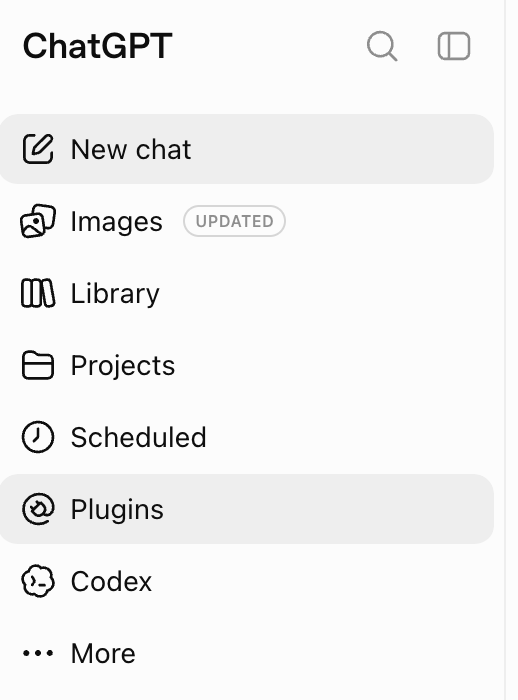
2) Connect worklore so your AI knows these recipes. In ChatGPT's left sidebar, open Plugins:
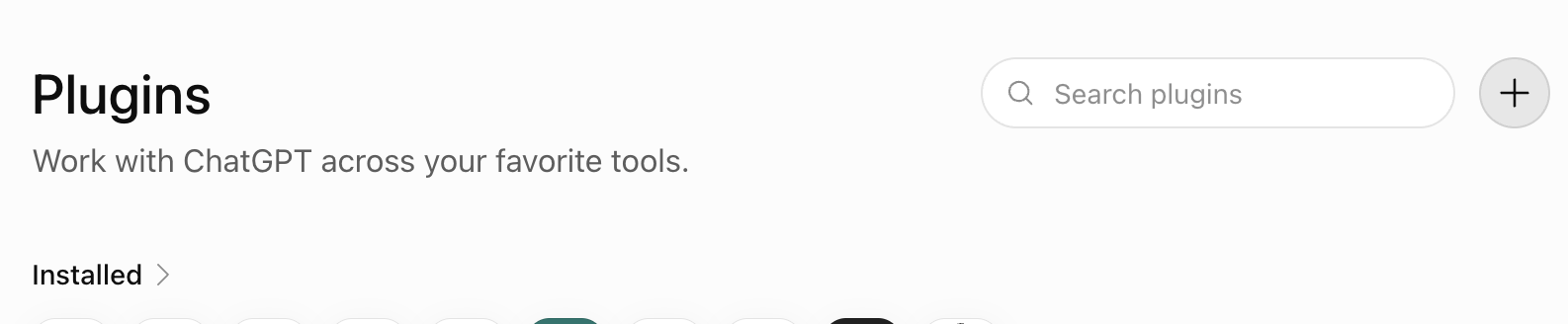
Click the + button (top right) to add a new one:
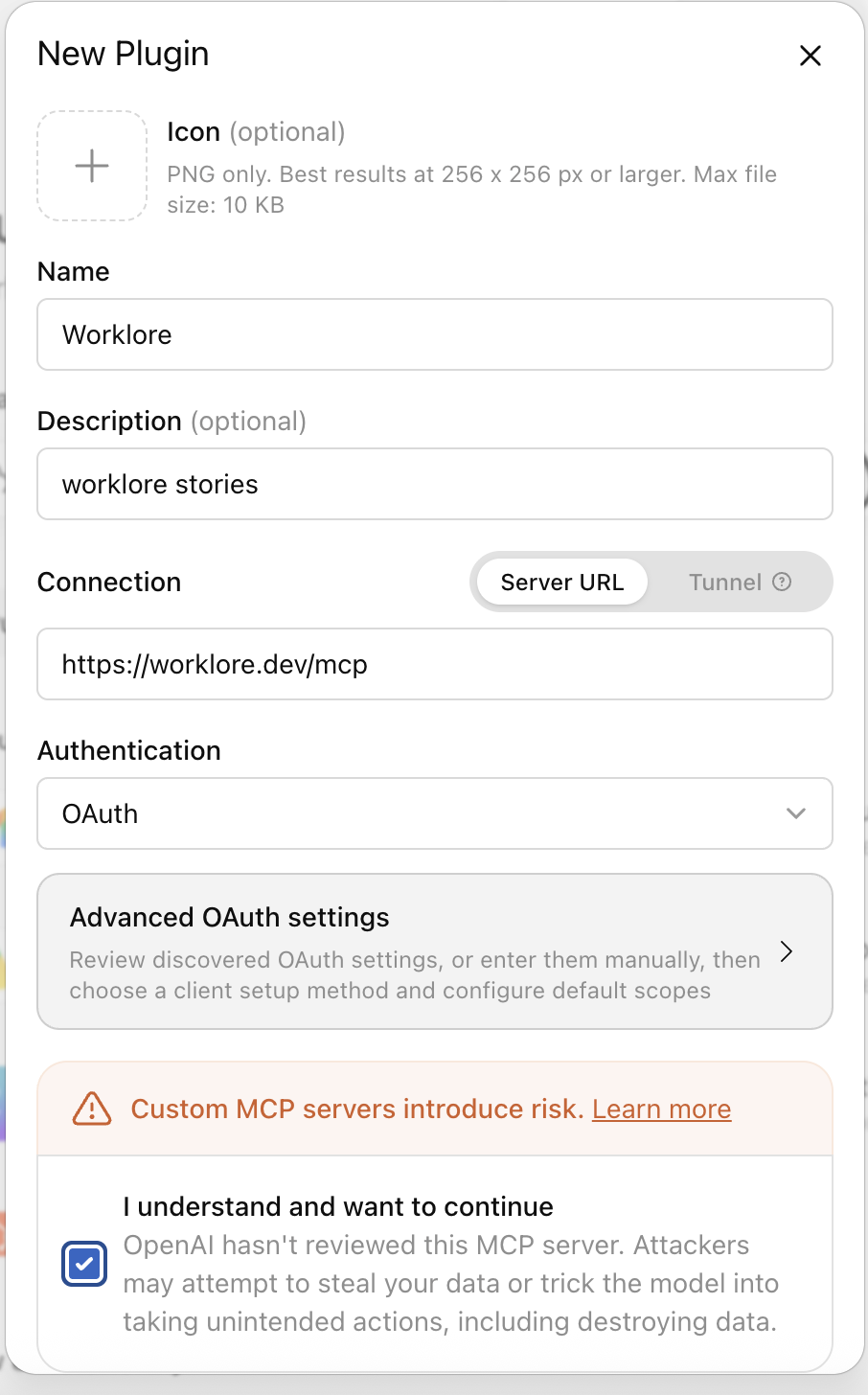
Fill the New Plugin form — Name: Worklore, Connection: Server URL, https://worklore.dev/mcp , Authentication: OAuth. Tick 'I understand and want to continue', create it, and sign in when it asks (Google or GitHub — it only sees your public name):
Now your AI can find and follow every story here.
3) Keep everything in one chat. Open a single ChatGPT conversation and do the whole project there. The AI remembers what you told it earlier in the same chat — your craft, your voice, your goals — so each recipe works better the more it already knows. Starting a fresh chat each time throws that away.
4) Start by describing your project. Before any recipe, tell the AI what you make and who it's for. The first step below — a one-page marketing plan — walks you through exactly that, and everything after builds on it.
The steps aren't a strict order. Once your project is described in the chat, apply whichever recipe you need, whenever you need it — the numbers are a suggested path, not rules.
You bring the thing you made and the story behind it. The AI does the busywork.